Hotel Lobby AI Video Generator — Turn Two Photos Into the Viral Trend
No prompts, no editing timeline. Upload two photos — friends, a couple, pets, anyone — and watch your duo trade verses in the orange booth. Preview the sample before you start.
Sign up to receive 16 free credits
Step 1: Select left photo
Upload a person or pet photo to replace the performer on the left.
Step 2: Select right photo
Upload a person or pet photo to replace the performer on the right.
Two photos. See the transformation.
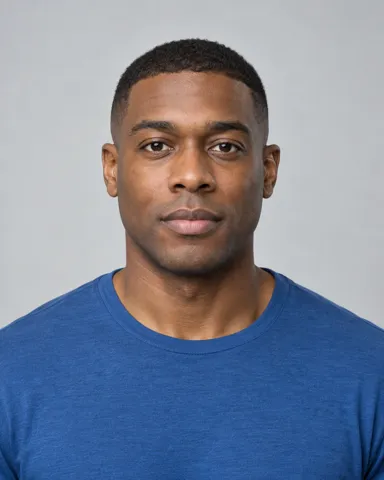
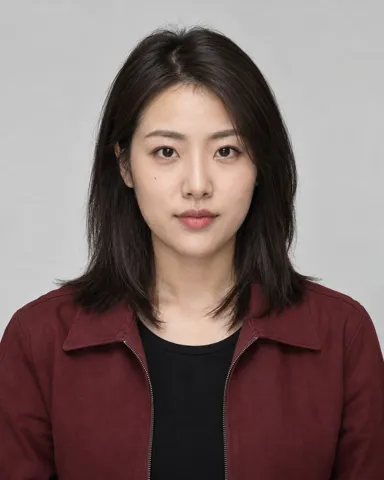
Upload a separate photo for each person, then select Generate Now. This real example shows the video created from the two photos below.
1. Upload left photoExample input photo2. Upload right photoExample input photo
It’s a viral TikTok format that recreates Quavo and Takeoff’s 2022 “Hotel Lobby” performance (as Unc & Phew) on A COLORS SHOW. AI tools place any two people, pets, or characters in the orange booth, trading verses like the original duo.
No — despite the name, the scene is the orange COLORS studio booth with one hanging microphone. “Hotel Lobby” is the song title, not the location.
The generated download includes the reference clip’s original audio. Check that you have permission to use that audio before publishing your video.
Two separate photos, one subject per photo — front-facing, evenly lit, and full-body if possible. Group shots blur the two identities, so crop them first.
Only upload photos of yourself or people who agreed to appear in the video. Using someone’s likeness without permission can violate their rights.
Generation time varies with current demand. You’ll see the progress after you start, so you can leave the page and come back when the video is ready.
New accounts receive free signup credits for a Low 480P / 4-second first attempt (16 credits). Choose 4 or 15 seconds and Low 480P, Standard 720P or High 1080P. Each new video uses the displayed cost; buy credits or subscribe when you need more.
Yes — upload a different photo of the same person to each slot, and they’ll be cast on both sides of the performance. Different outfits or expressions make the result more entertaining.
Ready to make your Hotel Lobby AI video?
Two photos are all it takes — cast your duo in the orange booth today.